Tags
Overview
Tags classify guests within an event and optionally include a hierarchy (Subtags). They enable segmentation for operations (reports, emails, badges) and are event‑scoped. You can create, edit, soft‑delete (trash), restore, and permanently delete tags. When a tag is in use by guests, you can reassign those guests before deletion.
📌 Why Tags?
Rapid segmentation for Emails, Badges, Reports with optional hierarchy and safe reassignment.
Interface Preview (Placeholders)
| Tags List | Create/Edit Tag |
|---|---|
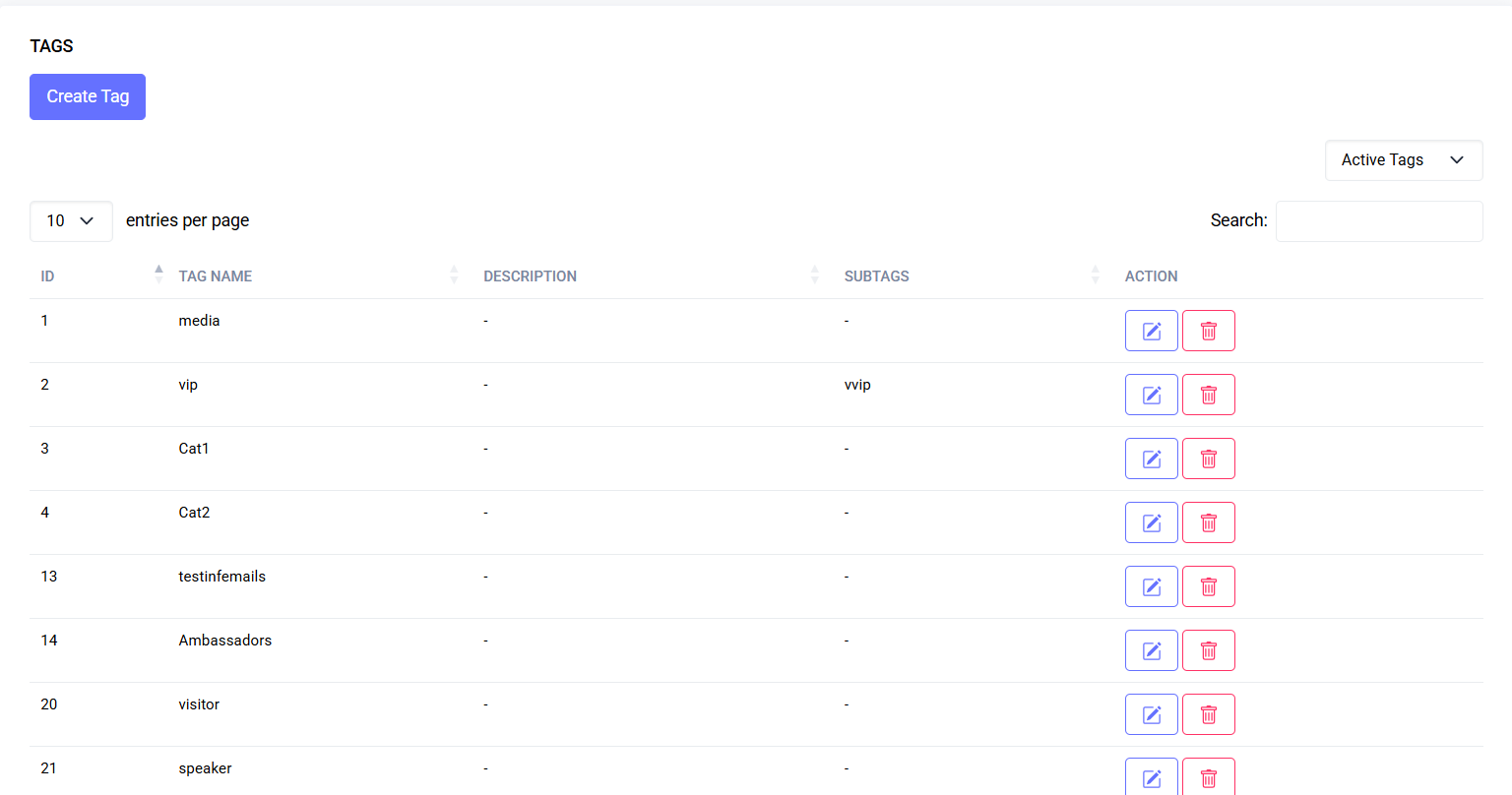 | 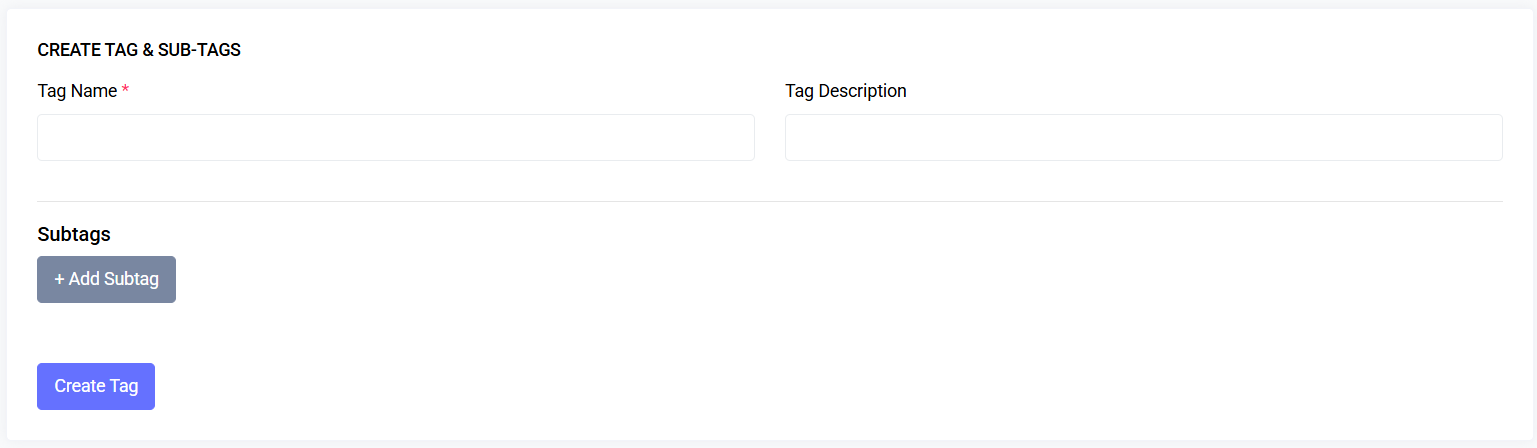 |
Quick Start
- Go to Event > Tags.
- Click Create Tag; enter Name + (optional) Description.
- (Optional) Add Subtags rows.
- Save.
- Use row actions to Edit, Delete (trash), Restore, or Permanently delete.
Navigation
- Listing: Event > Tags (filter Active / Deleted / All)
- Create: Tags > Create Tag
- Edit: Row action > Edit
- Delete / Restore / Force Delete: Row action (contextual)
Common Tasks
Create a tag and subtags
- Create Tag.
- Enter Tag Name (required) + Description (optional).
- Click + Add Subtag for each new subtag (Name + Description).
- Save.
Edit a tag / subtags
- Row action Edit.
- Update fields.
- Add / modify / remove subtags.
- Update Tag.
Soft delete a tag
- Click Delete. If guests use the tag, a Move Guests modal appears to reassign first.
Restore a tag
- Filter Deleted; click Restore.
Permanently delete
- Only when in Deleted state. Action is irreversible.
Filter list
- Dropdown: Active / Deleted / All. Deleted rows are grey with badge.
Reassign Flow (Deleting Tag In Use)
- Delete action triggers Move Guests modal if guests found.
- Select target tag (cannot be the same).
- Confirm – reassignment happens atomically, original tag moves to trash.
Table Reference
- Name
- Subtags (pipe‑separated names or dash if none)
- Deleted badge (when trashed)
- Actions (state + permission dependent)
Permissions
| Action | Permission |
|---|---|
| View Tags | tag.viewAny |
| Create Tag | tag.create |
| Edit Tag | tag.edit |
| Delete (trash) | tag.delete |
| Restore | tag.restore |
| Permanently Delete | tag.forceDelete |
Data Model (Conceptual)
- tags: id, event_id, name, description, deleted_at
- sub_tags: id, tag_id, name, description, deleted_at
- guests: id, tag_id, …
Behavior:
- Each guest references exactly one tag.
- Subtags belong to a tag; edited inline.
- Soft delete sets deleted_at; restore clears it; force delete removes the row.
Best Practices
- Keep names short & unambiguous (VIP, Staff, Sponsor).
- Use Subtags for finer roles/levels.
- Prefer soft delete for audit trail; permanently delete only when sure.
Troubleshooting
| Issue | Cause | Fix |
|---|---|---|
| Can’t delete | Tag in use | Reassign guests first |
| Restore missing | Not in Deleted state | Switch filter to Deleted |
| Actions hidden | Missing permission | Request appropriate permission |
FAQs
- Multiple tags per guest? Not supported; use Subtags for hierarchy.
- Subtags transfer when reassigning? Reassignment updates guests’ main tag only.
- Subtags after delete? Removed with parent (soft or force).
Last updated: 2025-11-11